Skip to main content
Ongoing user interface enhancements in MyGeotab - September 2025
About
Product
MyGeotab
Feature
General UI Improvements
Regions
Global
Update Type
New Improvements
Release Status
Fully Released
FedRAMP Status
FedRAMP Compliant
Published
Last Updated
This month we’ve made a few small changes to MyGeotab’s user interface. These updates are designed to improve how you navigate the platform and make your most-used features quicker to find. We're tidying up pages by moving similar controls into one area so they are always easy to access.
What’s new?
Messages, Notifications and Geotab Ace: To reduce additional clutter in the left-hand navigation menu, we've removed both Messages and Notifications, and we’ll soon be removing Ace. All three can still be accessed from to the top blue bar.
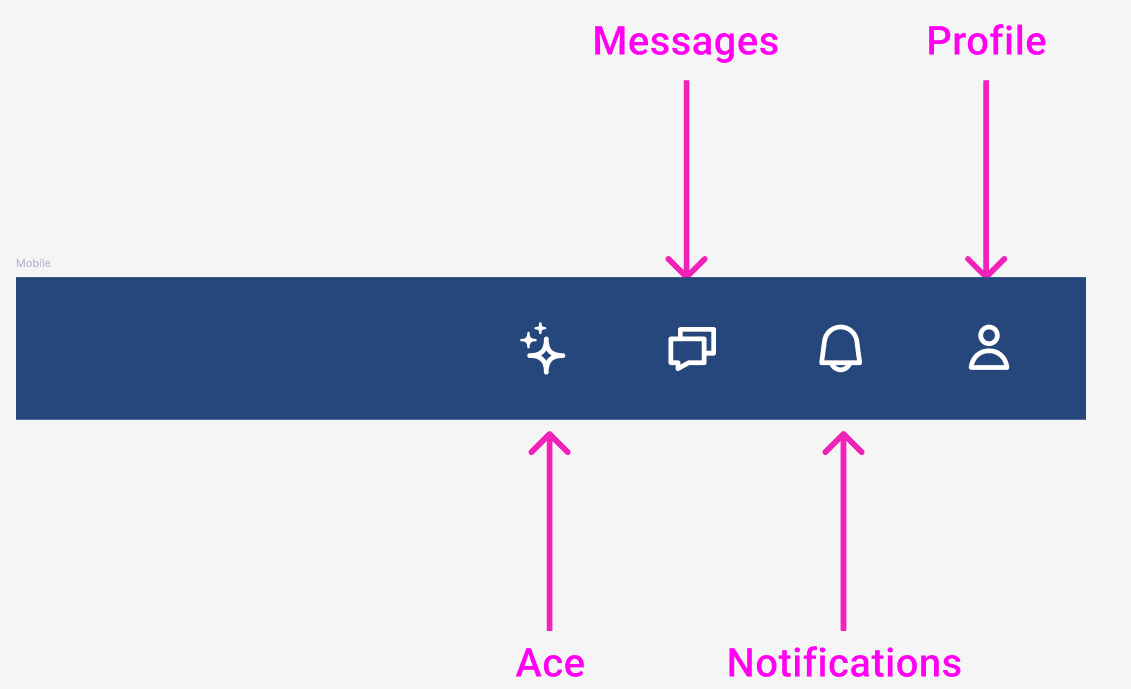
Support: We’ve removed the Support icon (?) from the top blue bar. Support remains accessible from the left-hand navigation menu.
About
Still have questions?