About
Drivers can now easily switch between Car or Truck Safe navigation, and enable hazardous material considerations, all within the Geotab Drive app. This eliminates the need for a separate navigation service, making route planning and navigation more efficient and user-friendly.
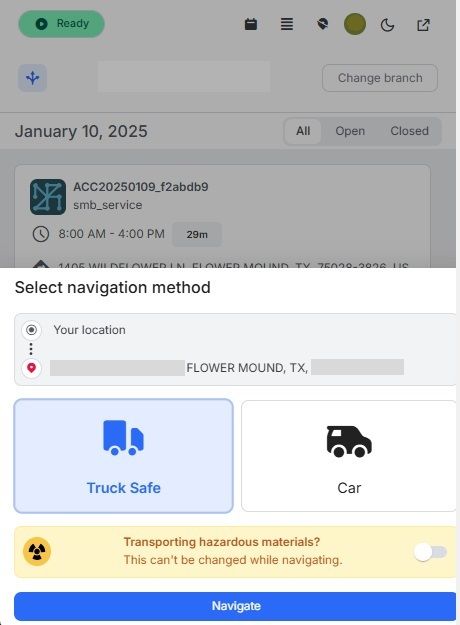
You can find the new navigation feature by going to Geotab Drive > Advanced Routes > Navigation (BETA!).
Planners and administrators now have more control over their route plans with the ability to add appointments or resources directly to an already optimized plan. This allows greater flexibility and adaptability when managing routes. Additionally, a visual indicator makes it easy to identify the navigation type used for each plan.

You can find the new editing features by going to MyGeotab > Advanced Routing > Route. You can access these features from the Route Plans page, by clicking on the icon to the left of the Plan Name, or by opening a (Draft) plan and clicking Edit > + Add button.
Previous Release Notes
About