Skip to main content
Ensure accurate fleet data with the new VIN Verification tool
About
Product
MyGeotab
Feature
Asset Management
Regions
Global
Update Type
New Improvements
Release Status
Fully Released
FedRAMP Status
FedRAMP Compliant
Published
Last Updated
We automatically decode your vehicle's VIN to populate its Make, Model, and Year, but we know this information can occasionally be incorrect. That’s why we’re launching a new feature that empowers you to correct this information directly, while also helping us improve our system's accuracy for everyone.
What’s new?
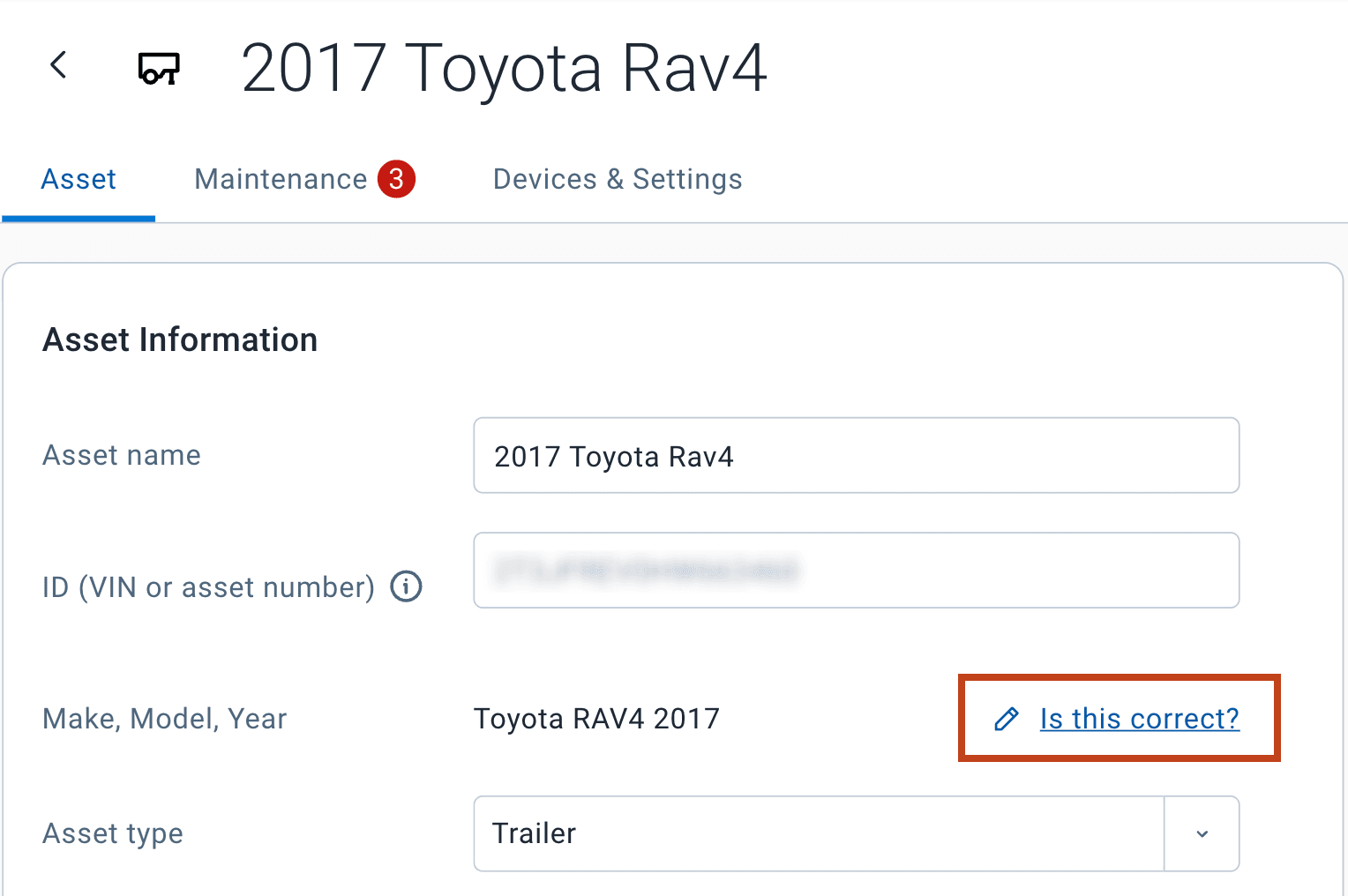
On the Asset details page, you will soon see an Is this correct? link next to the vehicle's Make, Model, and Year.
If you see a mistake, you can simply click this link to edit the fields and update them with the correct information. Your changes will be saved immediately and marked as "manually entered" for clarity.
Why it matters
This solution will provide the following benefits:
- Immediate Accuracy: You gain direct control to correct your fleet's data, ensuring more reliable reports, maintenance schedules, and all other processes dependent on accurate vehicle information.
- Continuous Improvement: Every correction you submit serves as valuable feedback, helping us train and continuously enhance our automatic VIN decoding engine. Your updates not only fix your data but also contribute to making the system smarter and more accurate for all users in the future.
About
Still have questions?