About
Manually enrolling individual devices into Marketplace Order Now solutions can be time-consuming, especially for growing fleets. The Auto-Enrollment feature, now generally available, removes this administrative burden by allowing you to automate the process for specific groups.
You now have full flexibility to manage auto-enrollment directly from the Add-In Subscriptions page (previously Add-In Management), without reinstalling the Add-In.
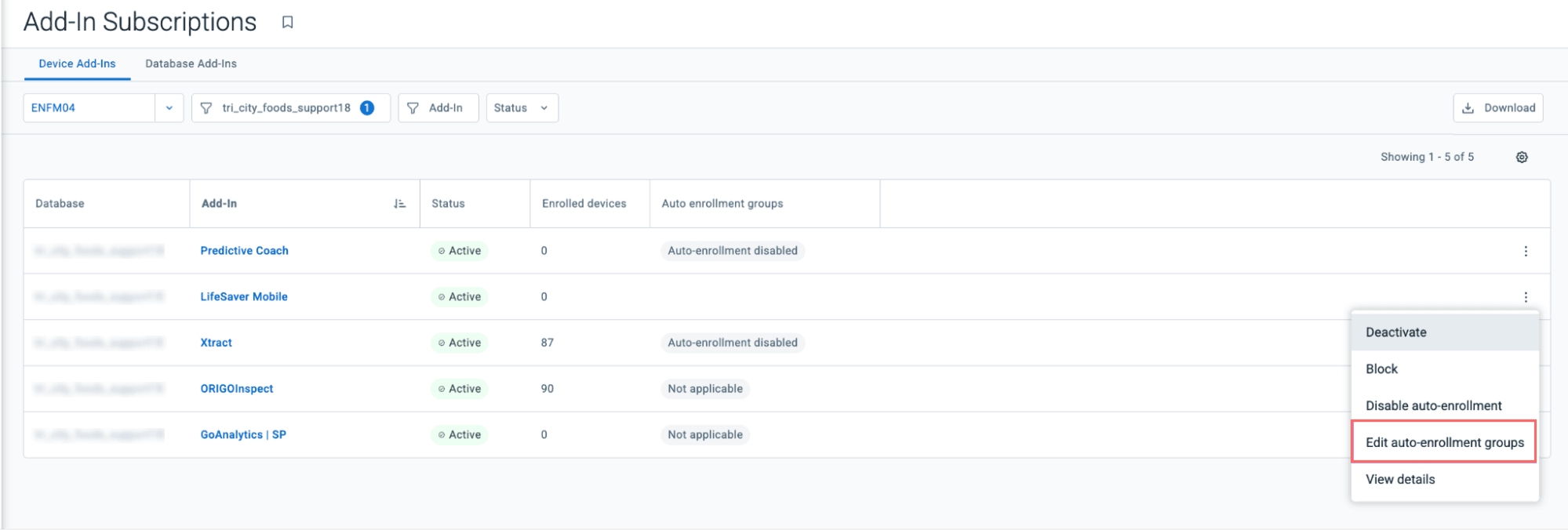
Post-installation group management Assign, reassign, or remove auto-enrollment groups at any time after installation. If you remove a group, the system automatically unenrolls those devices. Any manually enrolled devices remain active to ensure your data and billing stay accurate.
Simplified setup and control Group selection during installation is now optional, so you can skip it and configure auto-enrollment later. You can also disable the feature entirely for a specific database. When disabling, a prompt lets you choose whether to keep or unenroll existing devices, giving you complete control over your service and billing.
This update reduces manual effort and minimizes the risk of missed enrollments, ensuring new vehicles are activated with the right services from day one. Resellers and fleet managers now have a scalable way to manage software subscriptions as their organization grows.
These updates are available globally. You can access these settings by navigating to Add-Ins > Add-In Subscriptions.
About