About
Analyzing fleet activity in a specific location previously required manually zooming and panning around the map to try to get the exact area you wanted to view activity for. This could slow down investigations and make it harder to quickly focus on the relevant vehicles and events.
To improve this workflow, we’ve enhanced the Area Activity search feature so you can directly define the exact area you want to investigate and quickly review the activity within it.
Select the exact area on the map: Draw a rectangle directly on the map to define the specific area you want to investigate, instead of adjusting the map view manually.
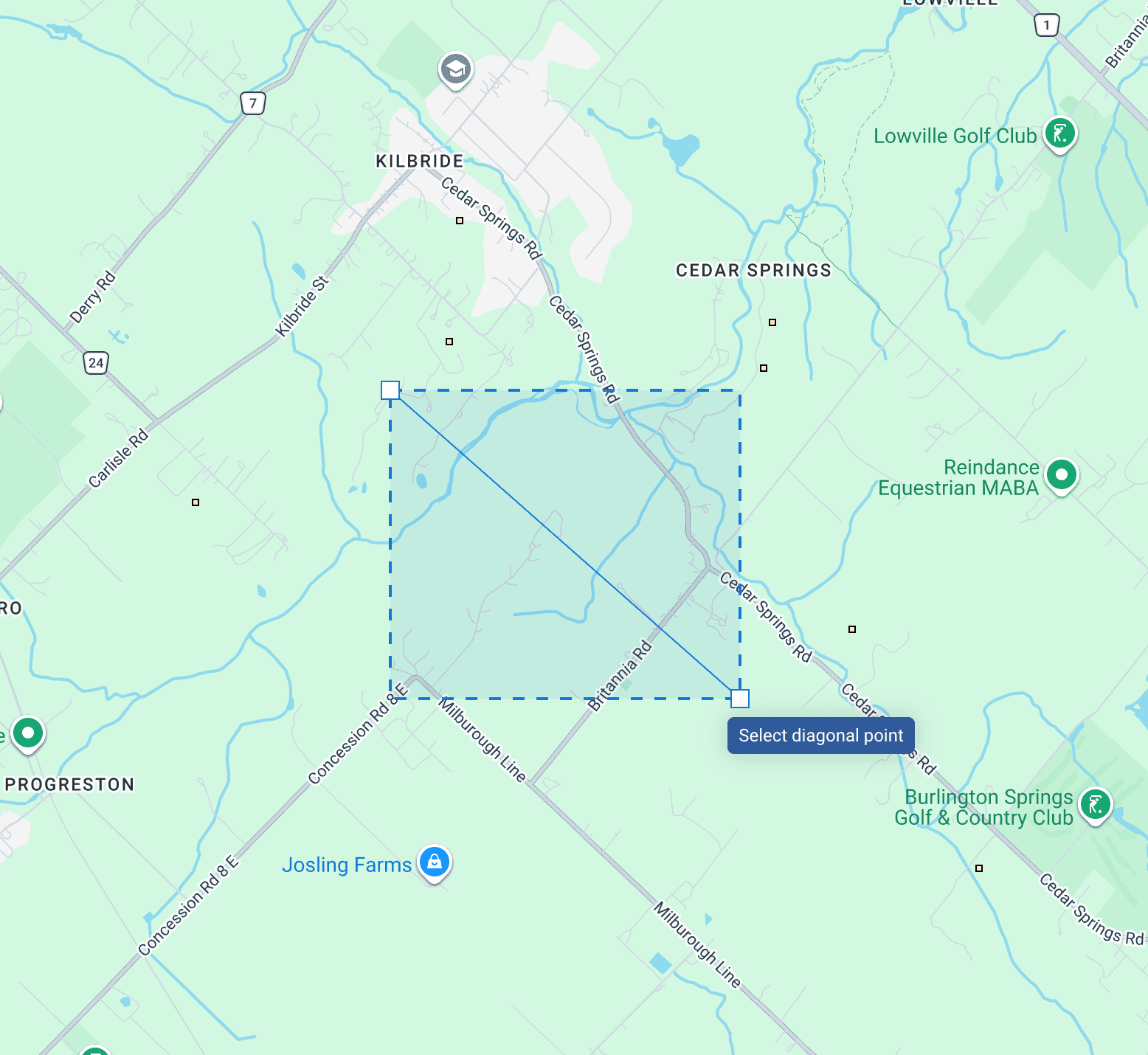
Filter relevant activity faster: Narrow results by vehicle, driver, and custom date and time ranges to focus only on the activity that matters.

View activity and safety events together: See vehicle movement in the selected area alongside related safety events such as speeding, harsh braking, and collisions.
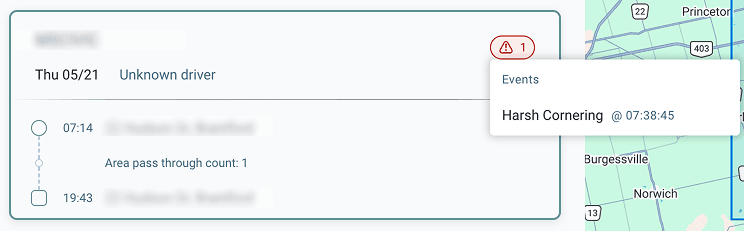
This update reduces the time spent manually navigating the map to locate the correct area for investigation. Instead of adjusting the map view to try to isolate a location, you can now directly select the area you want and immediately see the relevant vehicle activity within it.
This makes it faster to:
- Confirm which vehicles were present in a location
- Review what activity occurred during a specific time period
- Identify whether any safety events happened in that area
Overall, it simplifies location-based investigations and reduces the manual effort required to gather fleet activity data.
Navigate to the Map and select the Area Activity search tool. Draw a rectangle directly on the map to begin your search.
These updates began rolling out to all users globally in May 2026. No additional configuration is required for users with access to map activity tools.
About