Saltar al contenido principalLimitación de idioma del contenido: Por el momento, este contenido solo está disponible en inglés. Lamentamos los inconvenientes.
Ongoing user interface enhancements in MyGeotab - September 2025
Acerca de
Producto
MyGeotab
Característica
General UI Improvements
Regiones
Global
Tipo de actualización
New Improvements
Estado de lanzamiento
Fully Released
Estado de FedRAMP
FedRAMP Compliant
Publicado
Última actualización
This month we’ve made a few small changes to MyGeotab’s user interface. These updates are designed to improve how you navigate the platform and make your most-used features quicker to find. We're tidying up pages by moving similar controls into one area so they are always easy to access.
What’s new?
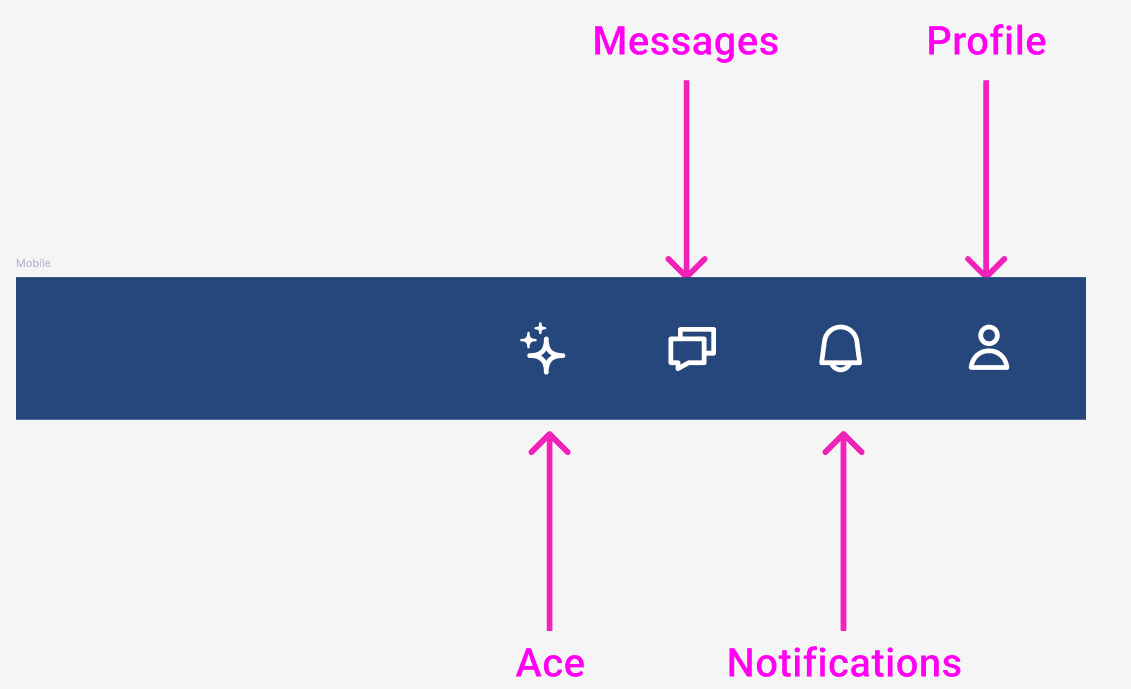
Messages, Notifications and Geotab Ace: To reduce additional clutter in the left-hand navigation menu, we've removed both Messages and Notifications, and we’ll soon be removing Ace. All three can still be accessed from to the top blue bar.
Support: We’ve removed the Support icon (?) from the top blue bar. Support remains accessible from the left-hand navigation menu.
Acerca de
¿Aún tienes preguntas?