Apie
We added an inline tooltip to the database name field on the MyGeotab® login page. When you have access to multiple databases, the tooltip appears beside the field to explain what information you need to enter.
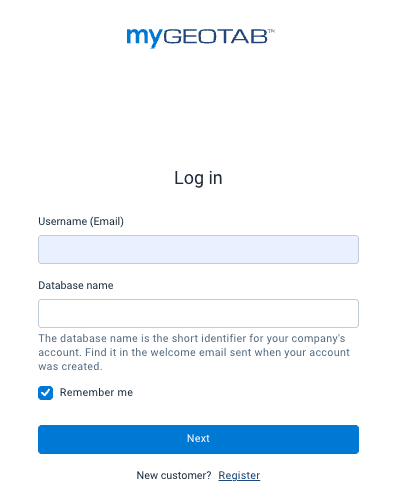
Navigating multiple databases during sign-in can create confusion for users who manage several accounts or fleet partitions. Providing instant guidance directly on the login screen helps users access their accounts quickly without friction. This inline help reduces basic support requests for fleet administrators and reseller help desks while improving the overall login experience.
This update is available automatically to all users globally as of the July 4, 2026 release. To view the guidance:
- Navigate to the MyGeotab login page in your browser.
- Hover over or select the information icon in the Database field to view the entry instructions.
Available to all customers globally since the July 4, 2026 release.
Apie